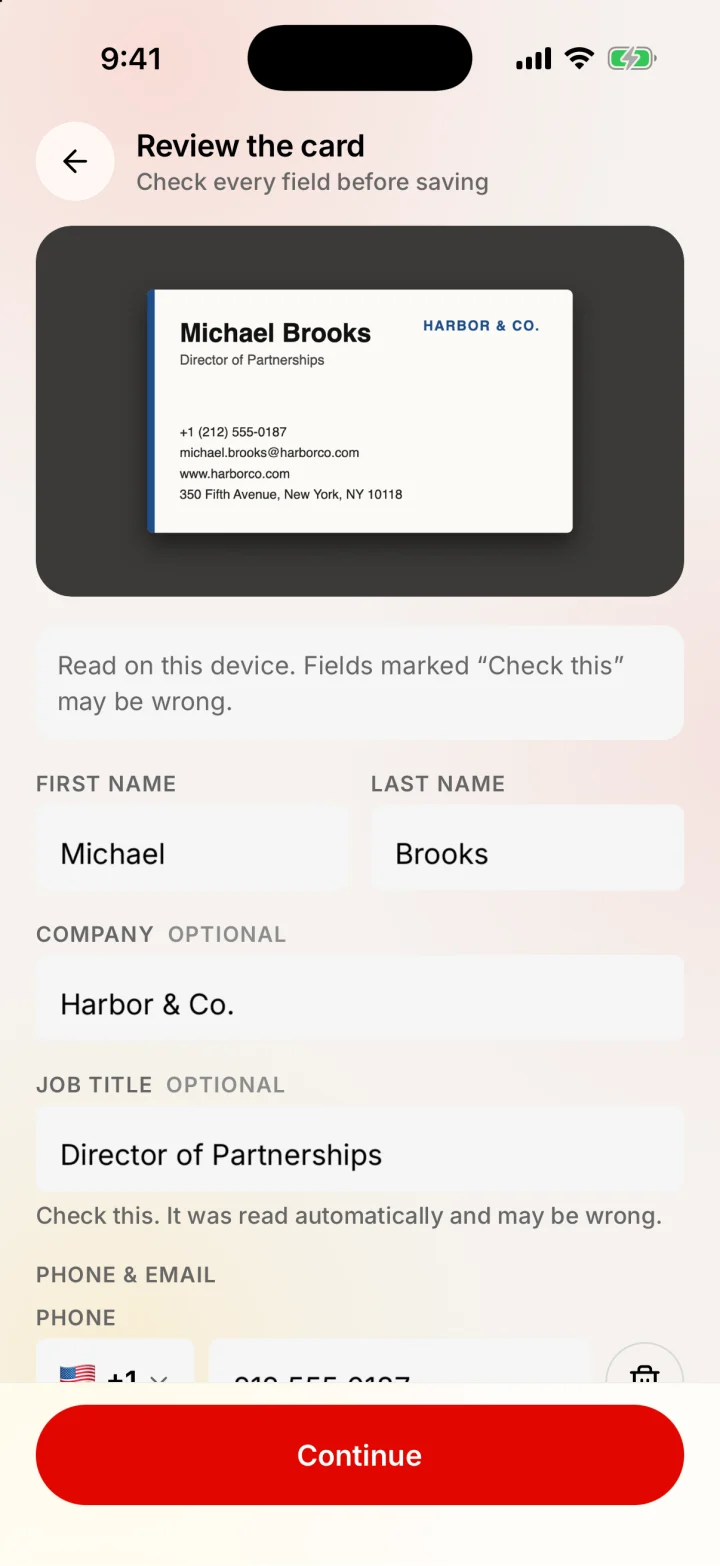
How scanning a card works
- 1
Photograph the card
Take a photo of the front, then the back if it has anything on it. You can also pick a photo you already took.
- 2
The phone reads the text
The iPhone's own text recognition reads the card on the device. The photo is not uploaded anywhere and you don't need a connection.
- 3
Check every field
Name, job title, company, phone numbers, emails, website and address land in a form you can edit. Fields the app is unsure about are marked Check this.
- 4
Catch duplicates
If the person is already in your network, Merlions tells you why it thinks so (same phone, same email, same name and company) and lets you add the new details to the existing contact instead of making a twin.
- 5
Save, then add context
Nothing is stored until you press Continue. Then add a note about where you met and set a follow-up while the conversation is fresh.
Both sides are merged into one contact: the name and company come from the front, and extra numbers, emails or an address from the back are added without repeats.
What is different about this scanner
- No account and no sign-up. Open the app and scan.
- Free, with no scan or contact limits and no subscription tier.
- Works offline. Reading the card does not need the internet, so it works in a basement hall with no signal.
- The photo is deleted after review. Merlions keeps the contact, not a picture of the card.
- You confirm every save. The app never stores a field you haven't seen.
- It remembers context, not just names: notes, tags and follow-up reminders live with each person. See the personal CRM page for the rest.
Tips for a clean scan
- Lay the card flat on a plain, dark surface so the edges stand out.
- Use even light and avoid glare on glossy or metallic cards.
- Fill most of the frame with the card and hold the phone parallel to it.
- Scan the back too when it has a second number, an email or an address.
- Check the phone number's country code before saving. Numbers typed the local way get the code from a country chip, and the form shows exactly how the number will be saved.
Honest limits
- No scanner reads every card perfectly. Script fonts, busy designs, low light and creased cards cause mistakes, which is why every field is shown to you before saving.
- Cards printed in non-Latin scripts have not been tested yet, so expect to type more on those.
- Merlions is on iPhone first. Android is in progress and not available yet.
- There is no direct push to Salesforce or HubSpot. You can export all your contacts as a CSV file from Settings, which most CRMs and spreadsheets can import.
Last updated by Testware Informatics, the makers of Merlions.