The short version
- Follow up within one working day. Two at most for casual meetups.
- Mention one specific thing from your conversation, so they can place you.
- Offer something useful or suggest one clear next step. Not both, and not five.
- Keep it short enough to read on a phone, roughly under 120 words.
- If there is no reply, nudge once after about a week, then let it go.
Before you leave the event
A good follow-up is written in the hallway, not the next morning. Straight after each conversation, write down two things: one detail they told you, and anything you promised. That is all you need for a personal message later.
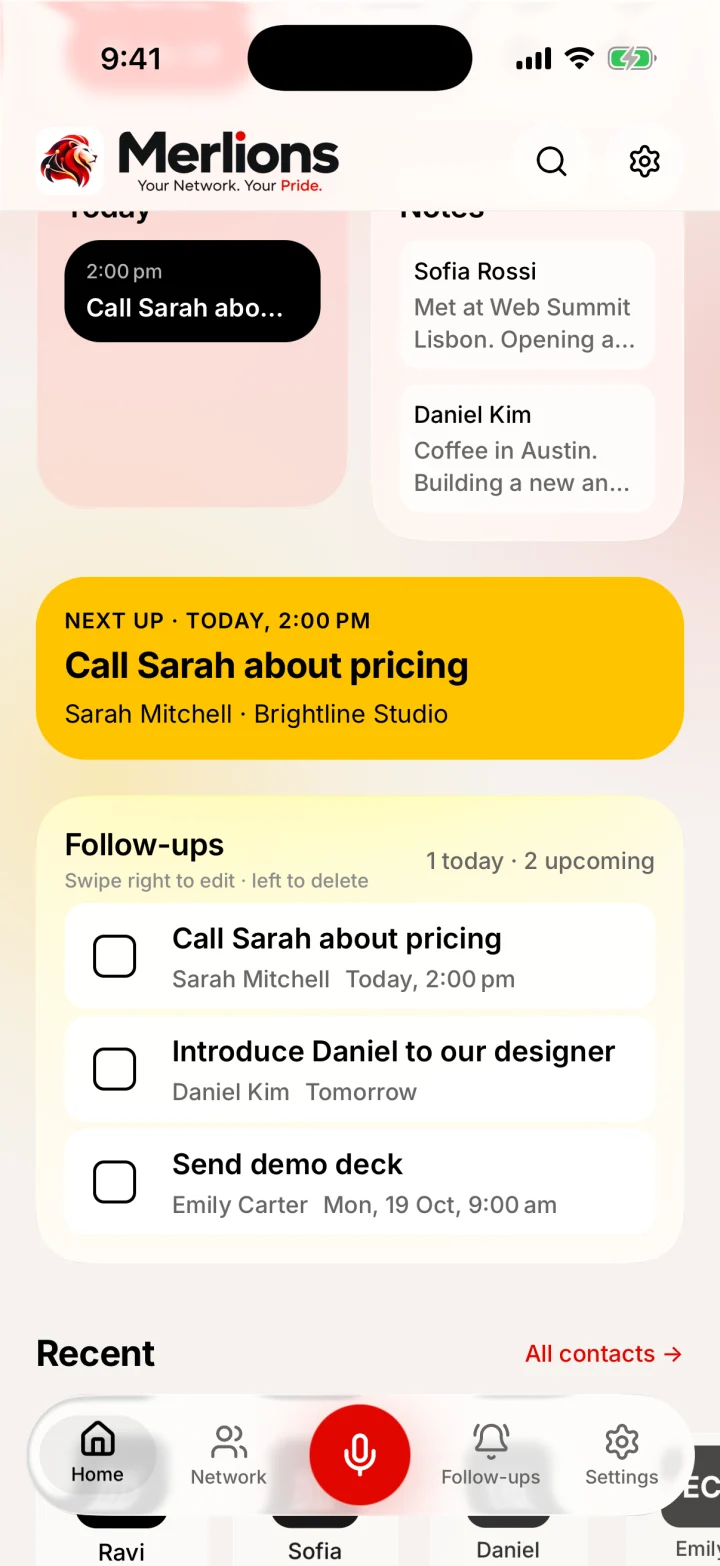
On paper this falls apart by the third coffee. In Merlions you scan their card, say or type the detail, and set the follow-up in under a minute, without a signal. See the business card scanner and the personal CRM pages for how.
When to follow up
| Situation | When to send |
|---|---|
| Conference or trade show conversation | Within one working day, or the day after the event ends |
| Meetup or casual networking | Within one or two days |
| You promised to send something | The same day if you can |
| Someone introduced you | Within one working day, and thank the person who introduced you |
| No reply to your first message | Once, five to seven working days later |
| Keeping in touch long term | Every few months, with something useful to them |
These are habits, not rules. The point is to write while the conversation is still fresh for both of you.
What a good follow-up includes
- 1
A subject they recognise
Name the event or the topic. “Great meeting you at [event]” beats “Following up”.
- 2
Who you are
One line. They met dozens of people and may not connect your name to your face.
- 3
The specific detail
Something they said. It proves this is not a mass email and helps them remember you.
- 4
Value or a next step
Send what you promised, share something relevant, or suggest a call with two concrete time options.
- 5
An easy way out
“No pressure either way” makes a reply more likely, not less.
Seven follow-up templates you can copy
Replace everything in [brackets]. Then read it once out loud and cut anything you would not say in person.
1. After a good conversation at a conference
Send: Within one working day of the event
Subject: Great meeting you at [event name]
Hi [first name], It was good to meet you at [event name] on [day]. I enjoyed our conversation about [topic], especially your point about [specific detail]. [One line of value: a link, an idea, or an answer to something they asked.] Would you be open to a 20-minute call in the next couple of weeks to keep the conversation going? I'm free [two time options], or happy to fit around you. Best, [Your name] [Role, company] [Phone]
2. After a quick card swap
Send: Within two days, while they still remember your face
Subject: [Event name]: [your name] from [company]
Hi [first name], We swapped cards briefly at [event name], near [session or place]. I'm the [role] at [company], and we help [who] with [what]. You mentioned [something they shared]. If that's still on your list, I'd be glad to share how we've handled it for [similar customer]. No pressure either way. It was good to meet you. [Your name]
3. When you promised to send something
Send: The same day if you can, the next day at the latest
Subject: The [thing] I mentioned at [event name]
Hi [first name], As promised, here is the [article, deck, contact or quote] we talked about at [event name]: [link or attachment]. The part most useful for you is probably [section or point], since you mentioned [their situation]. Happy to answer any questions. If it would help to talk it through, reply with a time that suits you. Best, [Your name]
4. Asking for a meeting or a call
Send: Within a few days, once you know what you want to discuss
Subject: Coffee next week? (following up from [event name])
Hi [first name], Thanks again for the chat at [event name]. I've been thinking about what you said about [topic]. I'd like to learn how [their company] handles [area], and I can share what we've seen at [your company]. Would a 30-minute coffee or call work next week? [Day] or [day] at [time] are both open for me. If now isn't a good time, no problem at all. Best, [Your name]
5. Replying to an introduction
Send: Within one working day of the intro
Subject: Re: Introduction: [your name] and [their name]
Thanks, [introducer's name]. I'll take it from here (moving you to BCC). Hi [first name], Great to be connected. [Introducer] mentioned you're working on [topic], and I'd love to hear more. I'm [one line about you and why it's relevant]. Would a short call [this week or next] work? A few times that suit me: [options]. Or pick any time that works for you. Best, [Your name]
6. A polite second nudge when there is no reply
Send: Five to seven working days after the first message, once
Subject: Re: [original subject]
Hi [first name], Bringing this back to the top of your inbox in case it got buried after [event name]. [One sentence restating your offer or question.] If the timing isn't right, no worries. I'll leave it here. Best, [Your name]
7. Short message for LinkedIn or WhatsApp
Send: The same evening, especially if you met briefly
Hi [first name], it's [your name] from [company]. Good to meet you at [event name] today. I enjoyed hearing about [topic]. I'll send over [the thing] by [day]. Let's stay in touch.
Mistakes to avoid
- Sending the same generic message to everyone you met. People notice.
- Pitching hard in the first message. Earn the second conversation first.
- Attaching large files nobody asked for. Send a link, or ask first.
- Following up more than twice without a reply.
- Forgetting what you promised. Breaking a small promise costs more than never making it.
- Adding someone to a mailing list because they gave you a card. Ask first.
Keep track without a spreadsheet
Merlions is a free iPhone app built for exactly this. Scan a card or swap QR cards, add a note by voice or typing, and turn “I'll send you the deck” into a reminder. Home shows what is due today, and search finds people by what you remember, like “who asked me for a quotation?”. No account, no ads, and it works offline.
Want people to save your details in one step? Make a free digital business card they can scan with their camera.
Last updated by Testware Informatics, the makers of Merlions.