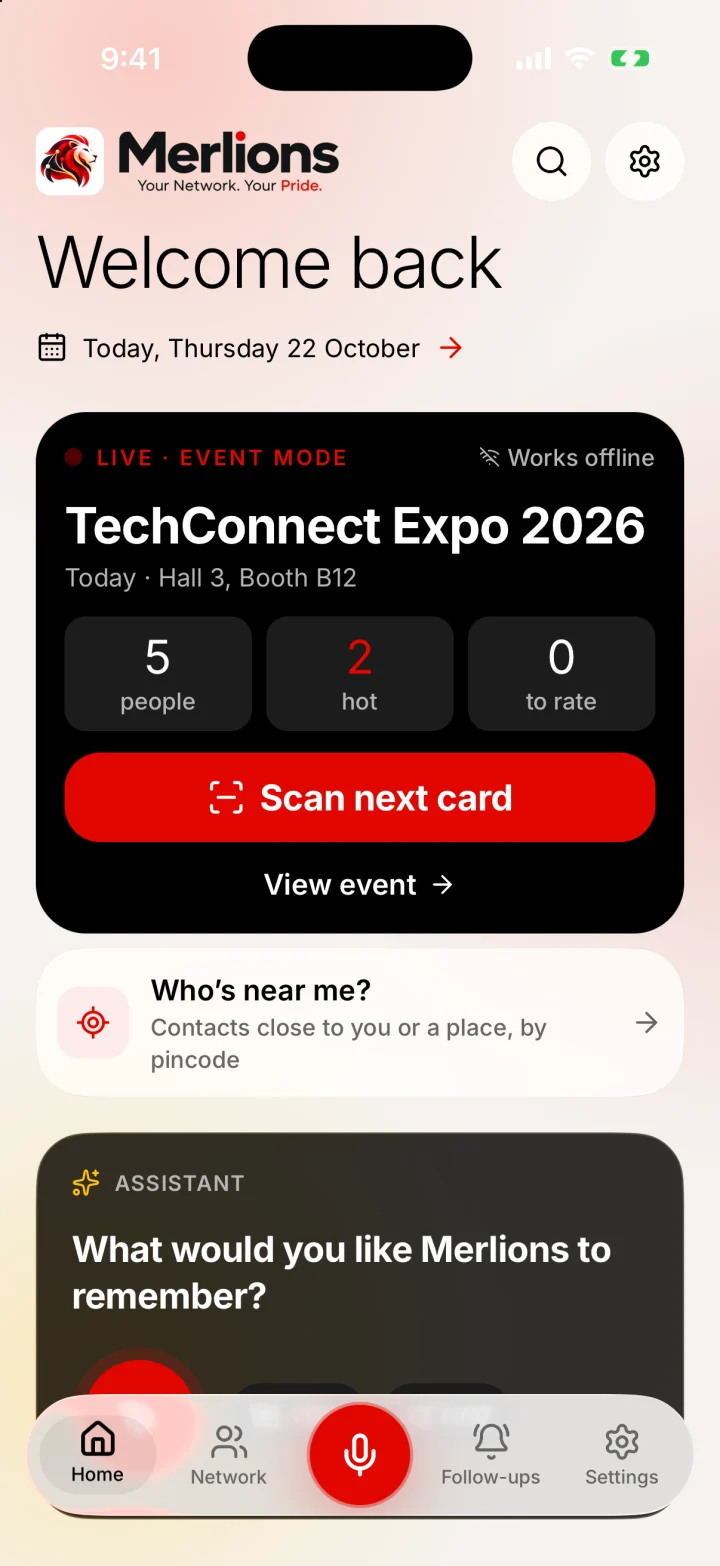
How Event mode works
- 1
Start the event
Give it a name and venue, choose one to three days, and pick default tags and a default follow-up. Event mode switches itself off after the last day.
- 2
Scan each card
Photograph the card, check the fields and save. New people and people already in your network both join the event, with its tags and a note of how you met. See the business card scanner.
- 3
Add quick context
Straight after each save, tap Hot, Warm or Cold, add a line on what you discussed (typed or spoken), adjust tags and the follow-up, then Save & scan next.
- 4
Review the day
The event screen shows how many people you met and how many are hot. Filter by interest, rate anyone you skipped, and export the list as a CSV file.
- 5
Follow up
Follow-ups are already set, so Home tells you who to contact first. The networking follow-up guide has templates you can copy.
Why exhibitors use it
- No badge scanner to rent and no per-lead fees. Event mode is part of the free app.
- Works without venue Wi-Fi or mobile signal. Everything is saved on the phone.
- No account and no shared server. Your leads stay on your phone until you export them.
- Context is captured at the moment, not reconstructed on the flight home.
- Search later by event name or by what was discussed, for example “people from the SaaS expo”.
- Visitors without a card can scan your QR instead. Print one with the free booth standee maker.
What the CSV export contains
One row per person you met at the event, hot leads first: event, first name, last name, company, job title, phones, emails, interest (hot, warm or cold), what you discussed, tags, and when you met. Cells are made safe for spreadsheets, so the file opens cleanly in Excel, Numbers or Google Sheets and imports into most CRMs.
Event mode, a rented badge scanner, or a bowl of cards?
| Merlions Event mode | Rented badge scanner | Paper cards | |
|---|---|---|---|
| Cost | Free | Often a fee per device or per event | Free |
| Works without venue Wi-Fi | Yes | Varies | Yes |
| Hot, warm or cold rating | Yes, one tap | Often | Scribbled on the card, if at all |
| What you discussed | Typed or spoken, saved with the person | Varies | Only if you write it down |
| Reads people without a badge | Yes, from their card or contact QR | No | Yes |
| Getting the list out | CSV export | Usually a CSV from a portal | Typing it up |
Booth tips for better leads
- Start Event mode before the doors open, so the first conversation is already tagged.
- Scan right after each conversation, not in a batch at the end of the day.
- One line of context is enough: what they need and what you promised.
- Put a printed QR standee on the table so visitors can save your contact while you talk to someone else.
- Export the CSV each evening if your team needs the list.
- Follow up hot leads within one working day of the event.
Honest limits
- Each person works on their own phone. There is no shared team workspace; combine lists with the CSV export.
- Event badges whose QR code holds only an attendee ID can't be read. Merlions reads printed cards and contact QR codes (vCard and MECARD).
- There is no direct push to Salesforce or HubSpot. Import the CSV instead.
- Available on iPhone and Android.
Last updated by Testware Informatics, the makers of Merlions.